One photo per bottle. That's the whole job. Nobli fills in producer, vintage, region and the ideal drinking window, so no good bottle slips past its prime. Your whole wine inventory organized, with no typing and no spreadsheets.
★★★★★ "The app identified them all… Impressive!" (App Store review)
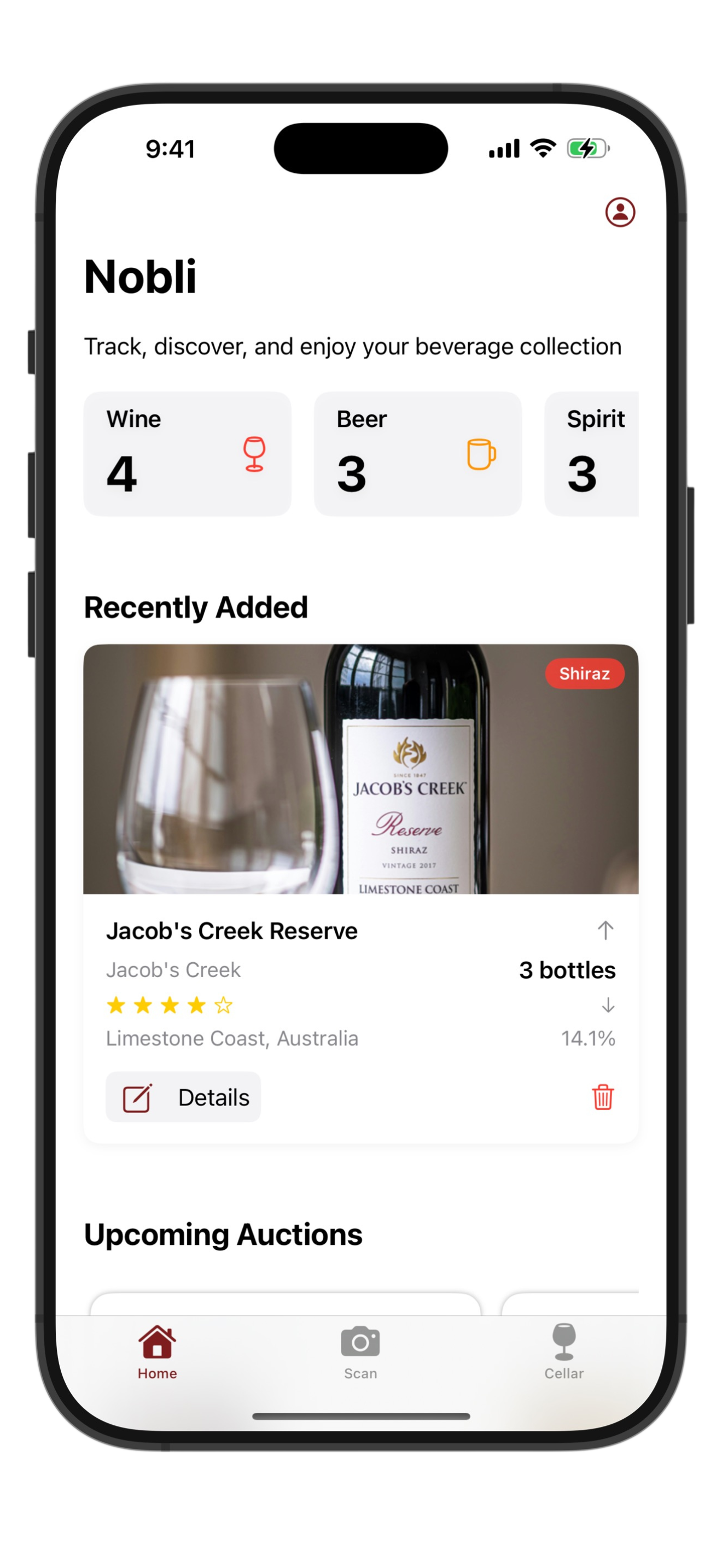
Cataloging a collection used to mean an evening with a spreadsheet. Now it takes seconds per bottle.
Take a photo with your iPhone. Wine, champagne, beer or whisky, even small local producers.
Producer, vintage, region, grape, tasting profile, food pairings and an ideal drinking window.
Browse, search and filter your collection. Tags, custom lists and a wishlist keep everything findable.
Built for collectors who want to enjoy their cellar, not manage a database.
Snap a photo and the bottle is identified and filed with full details. Works for wine, champagne, beer and whisky.
Know which bottles are ready now and which deserve more patience, with maturity tracking per bottle.
Organize by location, occasion or style. Filter your collection with one tap.
A native app on every device, kept in sync through iCloud. Browse your cellar from the couch or the desk.
No account, no sign-up, no tracking. Your cellar lives in your own iCloud and nowhere else.
Every bottle comes with food pairing ideas, and your in-app assistant answers cellar questions.
A wine inventory app should save you time on every bottle, not create homework.
| Spreadsheet / notebook | Nobli | |
|---|---|---|
| Adding a bottle | Type everything by hand | One photo |
| Wine details | Look them up yourself | Filled in automatically |
| When to drink it | Guesswork | Drinking window per bottle |
| On your phone & Mac | Clunky at best | Native apps, iCloud sync |
| Price | Free | Free download |
"I recently downloaded this app and photographed my wine and spirits collection. The app identified them all, even though some of the wines were from small local vineyards. Impressive!"
"This app is simple to use, just take a photo of a bottle and it'll categorize it and give you some background information about that particular bottle. I use it to catalog my whisky collection."
"This very nice handy app to collect what you have on shelf with good detail about item with pairing suggestions, I am loving it"
Yes. Nobli is free to download on the App Store and you can start cataloging your cellar right away on iPhone, iPad and Mac.
Take a photo of any bottle and Nobli identifies the producer, vintage, region, grape and drinking window, then files it in your cellar with tasting notes and pairing suggestions.
Yes. Nobli has a native Mac app alongside iPhone and iPad, and your cellar stays in sync through iCloud.
Yes. Nobli recognizes wine, champagne, beer and whisky, so your whole collection lives in one place.
No account, no sign-up. Your cellar is stored privately in your own iCloud and stays yours.
Yes. Use tags, custom lists and a wishlist to organize by location, occasion or anything else that fits how you collect.
Yes — that is exactly what Nobli does. Point your camera at any label and the AI identifies the bottle in seconds, no typing or barcode needed. It reads wine, champagne, whisky and beer labels alike.
Yes. Scan bottles one after another, track quantities per bottle, filter by type, tag or region, and export your full inventory to CSV whenever you need it.
Guides from the Nobli team to get more out of every bottle you catalog.
Download Nobli free and scan your first bottle in under a minute.
Download Nobli Free
 Nobli
Nobli